Trenz MCP · TikTok Shop and social media MCP server
From TikTok Shop data to published posts, right inside Codex and Claude
Connect Trenz to Codex, Claude, ChatGPT or Cursor. Find what's selling on TikTok Shop, make videos and images for it, and post them to TikTok, Instagram, YouTube and Facebook from the chat you already use.
Server URLhttps://mcp.trenz.ai/mcp/oauth?src=website
Your AI assistantTrenz MCP
Find sunglasses in the US that sold more than 10,000 units in the last 7 days. Make a 10-second video for the top one and get it ready for my TikTok Shop.
Trenzsearch1.4s
products · US · sunglasses · sold_7d > 10,000 · by sales
Product
Units 7d
vs prior
Polarized sport sunglasses
52.6K
+188%
Retro oval sunglasses
33.1K
+74%
Blue light glasses, 2-pack
21.4K
+35%
Trenzai_generatecompleted
video · 9:16 · 10s · product: polarized sport sunglasses
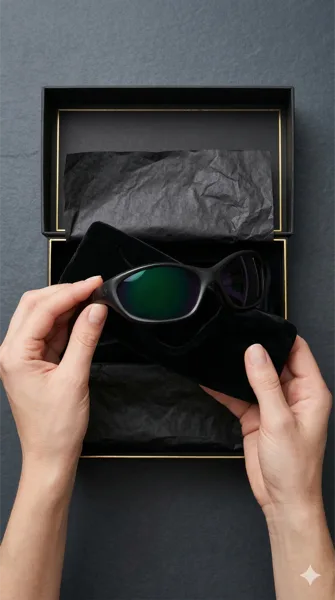
Built for the sun, styled for the street. Polarized, 28 g, in our TikTok Shop now.
Polarized sport sunglasses lead with 52.6K units in 7 days, nearly 3× the week before. The video and caption are ready. Say "post it" and I'll schedule it to your TikTok Shop account with the product linked.
Trenz MCP is a remote MCP (Model Context Protocol) server from Trenz. Once you sign in with your trenz.ai account, AI assistants such as Codex, Claude, ChatGPT, Claude Code and Cursor can search TikTok Shop data in 15 markets, generate AI videos and images, and post to and manage your TikTok, Instagram, YouTube and Facebook accounts.
Ask in your own words. Your assistant picks the right Trenz tool for each request.
Research to post
Go from data to a published post in one chat
Trenz connects TikTok Shop data, AI content and your social accounts, so one request can find a product, make the video, post it and show what it sold.
Search 15 TikTok Shop markets, open full details, read leaderboards and see who sells what, from creators and videos to buyer reviews.
search
get_detail
get_top_selling_products
get_related
Trenzget_top_selling_products0.9s
US · Beauty & Personal Care · weekly
#
Product
Units 7d
01
Snail mucin essence
61.4K
02
Peptide lip treatment
44.9K
03
Tinted sunscreen SPF 50
38.2K
04
Heatless curling rod
29.7K
05
Vitamin C brightening serum
25.1K
Create
Generate videos, images and scripts
Turn a product into short videos and images, break down a TikTok video's hook and script, or build a canvas on the Pro and Scale plans.
ai_generate
check_task
generate_canvas_node
list_assets
Trenzai_generatecompleted
video · 9:16 · 10s · product: sport sunglasses
00:0000:0400:08
Social accounts
Publish, reply and check results
Post or schedule to TikTok, Instagram, YouTube and Facebook, including TikTok Shop videos with your product linked. Answer comments and messages, and see each post's views, orders and GMV.
publish_social_post
list_published_posts
reply_to_comment
send_message
get_social_overview
get_seller_daily_report
Trenzlist_comments0.6s
TikTok · latest video · unanswered
@maya.cooksDoes it work with oat milk?
DraftYes! Oat milk foams really well. Try it cold for iced lattes.
@jordan_kHow long does the battery last?
DraftAbout 30 days of daily use on one charge. It charges over USB-C.
Nothing posted yet. Waiting for your approval.
03 / How it works
Connect with your Trenz account
01
Add the server URL
Paste the Trenz MCP URL into your assistant's connector or MCP settings.
02
Sign in to trenz.ai
Your assistant opens trenz.ai in your browser. Sign in with your Trenz account.
03
Click Allow
Your assistant can now use Trenz with your plan and credits.
No API keys to create or store. To disconnect an assistant, go to Settings → Account → Authorized apps on trenz.ai and click Revoke.
Allow “Claude” to access your Trenz account?
This connection will be able to
Read store, product, creator and content data you have access to
Run the enabled content creation, publishing and engagement tools on your behalf
Perform actions that may use Credits or change the state of external platforms
Uses your Trenz plan and Credits
DenyAllow
04 / Pricing
Included in every plan
Your plan sets how many calls your AI assistant can make to Trenz in 7 days.
Free20assistant calls per 7 daysNo early reset
Growth100assistant calls per 7 daysReset early for 50 credits
Pro300assistant calls per 7 daysReset early for 100 credits
Scale1,000assistant calls per 7 daysReset early for 150 credits
Calls are counted per team. The 7 days start at your first call.
AI video and image generation uses credits at the same price as on trenz.ai.
Trenz MCP is a remote MCP (Model Context Protocol) server. It lets AI assistants such as Codex, Claude, ChatGPT, Claude Code and Cursor use Trenz's TikTok Shop data and AI content generation, and post to your TikTok, Instagram, YouTube and Facebook accounts.
Can I use TikTok Shop data in Codex, ChatGPT or Claude?
Yes. Add the Trenz MCP server URL in Codex, ChatGPT, Claude, Claude Code or Cursor, sign in to trenz.ai and click Allow. Your assistant can then search TikTok Shop products, creators, videos, shops and ads in 15 markets.
Can I post to TikTok, Instagram and YouTube from Codex, Claude or ChatGPT?
Yes. Connect your TikTok, TikTok Shop, Instagram, YouTube and Facebook accounts to Trenz once. Your assistant can then post or schedule videos and images, link TikTok Shop products, reply to comments and messages, and read each post's views, orders and GMV. Trenz tells your assistant to confirm with you before anything is posted.
Do I need an API key?
No. Trenz MCP uses OAuth sign-in. You sign in with your trenz.ai account and approve the connection, so there is no key to create, copy or rotate.
Which data and accounts can my assistant use?
TikTok Shop data for 15 markets, including the US, UK, Germany, Japan, Indonesia, Mexico and Brazil. It can also use the TikTok, Instagram, YouTube and Facebook accounts you connect to Trenz, plus your TikTok Shop seller reports.
How much does Trenz MCP cost?
It is included in every Trenz plan, including Free. Each plan has a number of assistant calls per 7 days: Free 20, Growth 100, Pro 300 and Scale 1,000. AI video and image generation uses credits at the same price as on trenz.ai.
How do I disconnect an assistant?
On trenz.ai, open Settings, go to Account and find Authorized apps. Click Revoke next to the assistant to remove its access.